
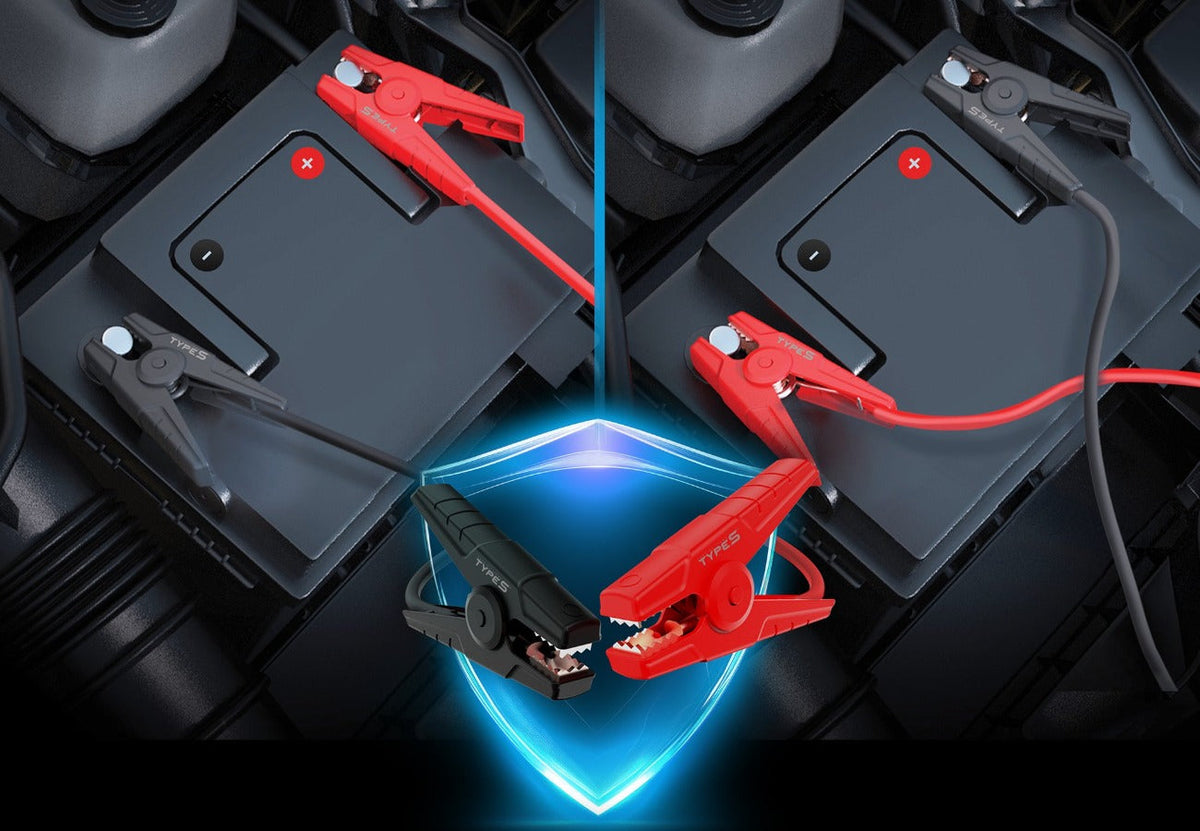
It’s dark, it’s cold, your car won’t start, and you’re staring at two clamps trying to remember: does red go on positive or negative? Mixing up the clamps is one of the most common jump-starting mistakes, and it’s exactly the stress the TYPE S PowerGuide Jump Starter was designed to eliminate.
Thanks to Cross-Jump™ Polarity Safety, you can connect the clamps to either battery terminal and still jump start your vehicle. No sparks, no confusion, no stress. The PowerGuide comes in 1000A (PX10), 1500A (PX20), and 2000A (PX30) versions, available in select Walmart stores.
Cross-Jump™ Polarity Safety: Connect the clamps to either battery terminal and still jump start your vehicle. No sparks, no confusion, no stress during emergency jump starts.
What Is Cross-Jump™ Polarity Safety?
With most jump starters, the rule is strict: the red clamp goes on the positive (+) terminal and the black clamp goes on the negative (–) terminal. Get it backward, and most modern jump starters will block power until you fix the connection (older or unprotected units can spark or cause damage).
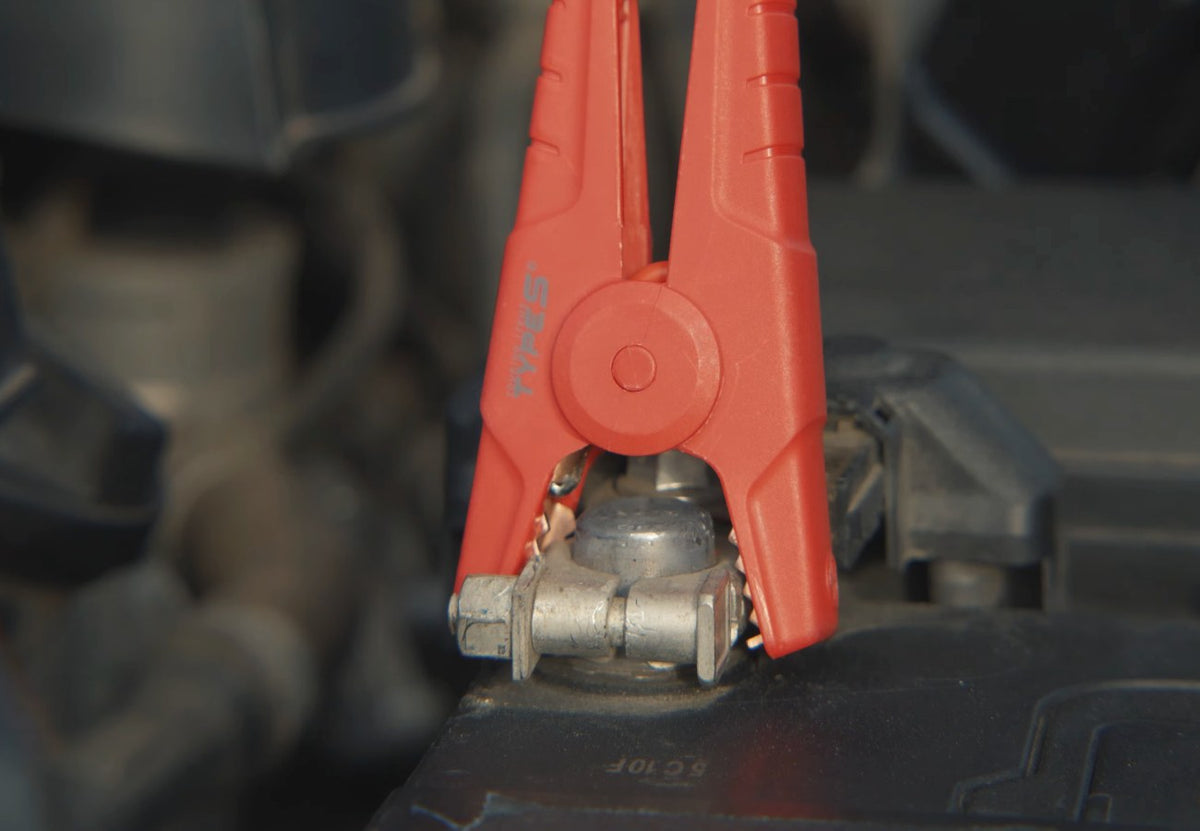
Cross-Jump™ changes that. On TYPE S PowerGuide jump starters, you can safely connect the clamps to either battery terminal and still jump start your vehicle. There’s no need to double-check which clamp goes where before you get going.

Red clamp or black clamp, either one can go on the same terminal with Cross-Jump™.

Why Cross-Jump™ Matters in a Real Emergency
- Hard-to-read terminals – Battery covers, dirt, corrosion, and faded markings can make the + and – signs tough to spot, especially at night.
- Stressful situations – When you’re late, cold, or stuck in a parking lot, it’s easy to grab the wrong clamp.
- First-time users – New drivers, teens, and anyone who has never jump-started a car can get back on the road with more confidence.
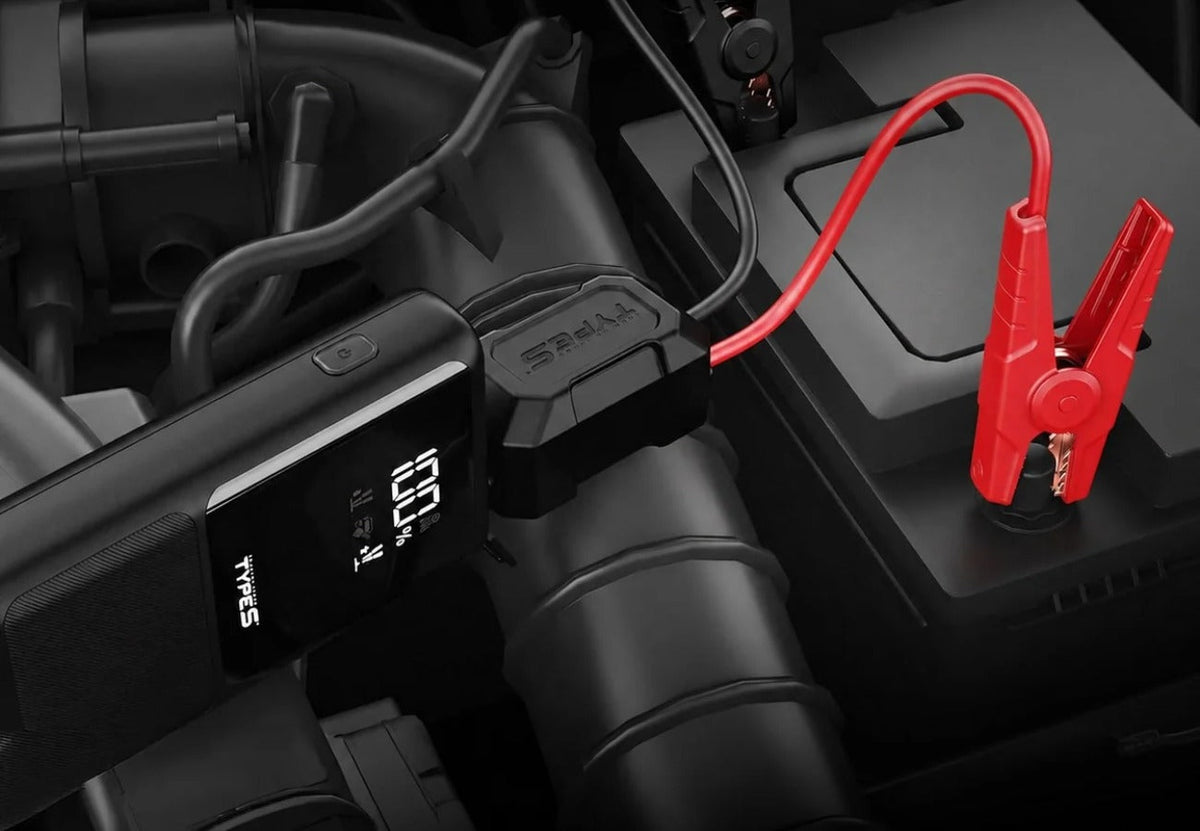
- Less second-guessing – Connect the clamps and follow the on-screen guidance instead of worrying about the color code.
Good to know: Cross-Jump™ makes it so the clamps can go on either terminal, but the two clamps should still never touch each other or be bridged by a metal tool. Always follow the PowerGuide screen and the instructions in your user manual.
Step-by-Step PowerGuide Screen
Cross-Jump™ takes care of the clamps. The PowerGuide screen takes care of the rest. The built-in visual display walks you through the jump-starting process with real-time guidance, making battery emergencies easier and less intimidating.

Choose Your PowerGuide: 1000A, 1500A, or 2000A
All three models include Cross-Jump™ Polarity Safety, the Step-by-Step PowerGuide Screen, USB-C Power Delivery charging, and a built-in emergency flashlight with a dual-color safety lantern. The main difference is how much engine they can handle.
| Model | Engine Size | Battery Capacity | USB Charging | Best For |
|---|---|---|---|---|
|
PowerGuide 1000A (PX10) |
Up to 6.0L gas / 4.0L diesel | 8,000mAh | 65W USB-C PD + USB-A | Cars, sedans, SUVs, and light-duty vehicles |
|
PowerGuide 1500A (PX20) |
Up to 7.0L gas / 4.5L diesel | 12,000mAh | 65W USB-C PD + USB-A | Larger SUVs, crossovers, and light trucks |
|
PowerGuide 2000A (PX30) |
Up to 9.0L gas / 6.0L diesel | 15,000mAh | 100W USB-C PD + dual USB-A | Full-size trucks and larger engines |

More Than a Jump Starter
Charge Your Phone, Tablet, or Laptop
Every PowerGuide doubles as a power bank. The 1000A and 1500A offer 65W USB-C Power Delivery plus USB-A, and the 2000A steps up to 100W USB-C Power Delivery plus dual USB-A ports, so you can charge multiple devices at the same time.

Emergency Flashlight + Dual-Color Safety Lantern
Use the built-in LED flashlight for focused lighting under the hood, or switch on the side lantern light bar in bright white or red with strobe and SOS signaling modes to stay visible on the side of the road.

Compact All-in-One Roadside Essential
Emergency jump starting, mobile charging, and safety lighting in one compact design that stores easily in your vehicle.

What’s in the Box
- PowerGuide Jump Starter Power Bank
- Cross-Jump™ Cables
- 12V USB Charger
- USB-C Charging Cable
- Storage Bag
- Warranty Card

Where to Buy the TYPE S PowerGuide Jump Starter
The TYPE S PowerGuide jump starters with Cross-Jump™ are available in select Walmart stores. Check availability near you on Walmart.com:
- TYPE S PowerGuide 1000A Jump Starter
- TYPE S PowerGuide 1500A Jump Starter
- TYPE S PowerGuide 2000A Jump Starter
TYPE S PowerGuide FAQ
Can you connect a jump starter backwards?
On most jump starters, no. The red clamp must go on the positive terminal and the black clamp on the negative terminal. TYPE S PowerGuide jump starters with Cross-Jump™ Polarity Safety let you connect the clamps to either battery terminal and still jump start your vehicle.
Which PowerGuide model do I need?
Match it to your engine. The 1000A handles up to 6.0L gas / 4.0L diesel, the 1500A up to 7.0L gas / 4.5L diesel, and the 2000A up to 9.0L gas / 6.0L diesel engines.
Do all three PowerGuide models have Cross-Jump™?
Yes. The 1000A, 1500A, and 2000A all include Cross-Jump™ Polarity Safety and the Step-by-Step PowerGuide Screen.
Can the PowerGuide charge a laptop?
Yes. The 1000A and 1500A offer 65W USB-C Power Delivery, and the 2000A offers 100W USB-C Power Delivery for laptops, tablets, and phones.
Where can I buy the TYPE S PowerGuide?
In select Walmart stores. You can check availability at your local store on Walmart.com.
Conclusion
The TYPE S PowerGuide Jump Starter takes the guesswork out of jump-starting. With Cross-Jump™ Polarity Safety, you can connect the clamps to either battery terminal and still get going, while the Step-by-Step PowerGuide Screen walks you through the rest. Add USB-C fast charging and a built-in safety lantern, and it’s an all-in-one roadside essential for every vehicle in the family.
Find the TYPE S PowerGuide 1000A, 1500A, and 2000A in select Walmart stores. Want to compare all of our jump starters? Read Which TYPE S Jump Starter Is Right for Me?
Want to see Cross-Jump™ and the PowerGuide screen in action? Watch our full walkthrough of how to use the TYPE S PowerGuide 1000A, 1500A, and 2000A jump starters:

Leave a comment
This site is protected by hCaptcha and the hCaptcha Privacy Policy and Terms of Service apply.